

Prepare your records for indexing
Athena XAI works from your data feeds. The required feeds are the Product, Category and Attribute data feeds.
Register your feeds
- Generate your data feeds.
- Host the files in a publicly accessible location.
- Log in to the Athena Dashboard with your credentials. The account management team provides all credentials.
- Go to Dev Zone -> Datasource and set the Select a data source option to ‘Manually’.
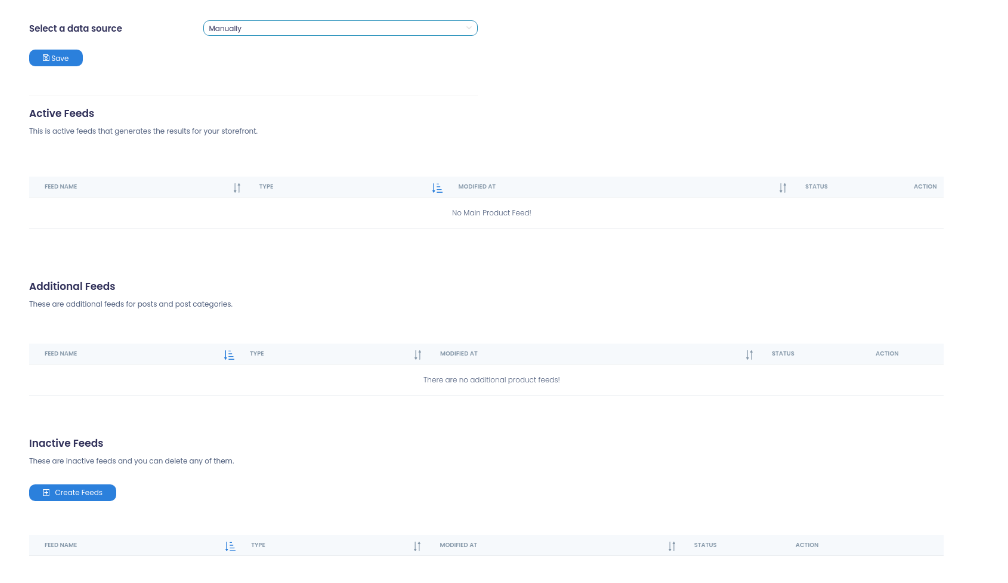
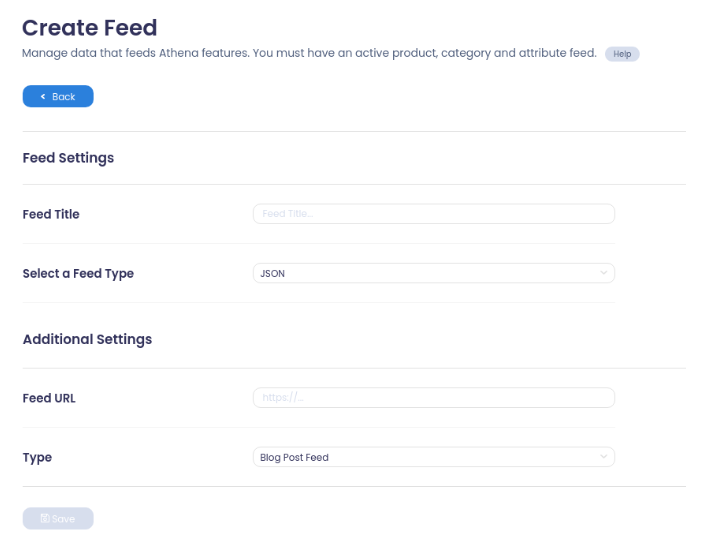
- Click the Create Feeds button at the bottom of the page and fill out the form to create the feed.
Run the reindex
After you have created and set up your feeds, index the data to Athena XAI:
- Go to the Reindex section and click Reindex now to start the reindex process.
- To schedule the reindex, click Configure, which opens the reindex scheduler.
- In the scheduler, you can also set the email addresses of people who should receive reindex reports.
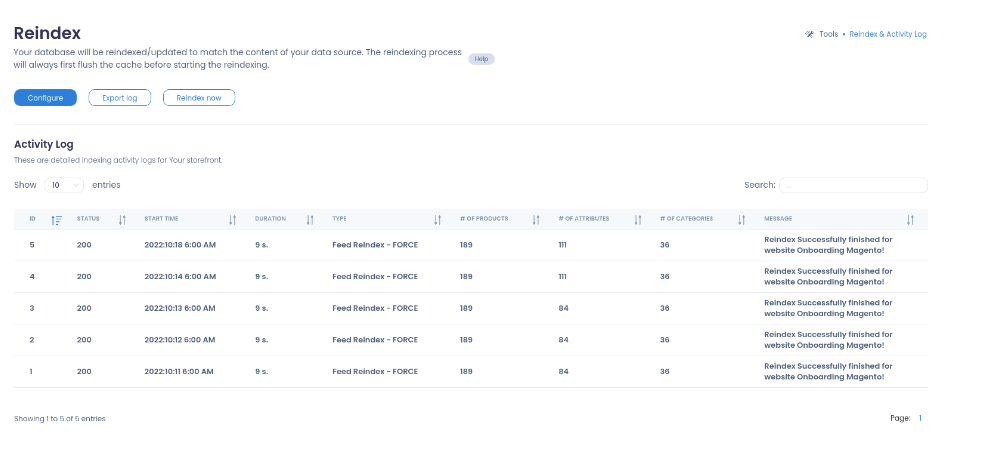
When you receive a report email with the message “Successfully finished Reindex”, you can use the search and autocomplete APIs with the relevant data.
In this section
Data feeds
Reindexing APIs
- Full Reindexing API
- Partial Reindexing API
- Update Products API
- Price Reindex API
- Asynchronous reindexing
Mapping and positions