

Overview
This documentation explains how to integrate Athena XAI with your store: the APIs, the analytics events and the data feeds. Each endpoint has a description and usage examples, so you can implement it quickly and correctly.
Before you start a custom integration, check whether an extension, application or plugin already exists for your platform. A pre-built integration can make the implementation much simpler and faster.
If you are unsure which approach suits your platform or architecture, ask the Athena XAI development team. They can help you choose the most efficient integration.
When you configure your data feed, keep in mind that the Athena XAI Datasource schema has both required and optional fields. The data feed pages list them.
How it works
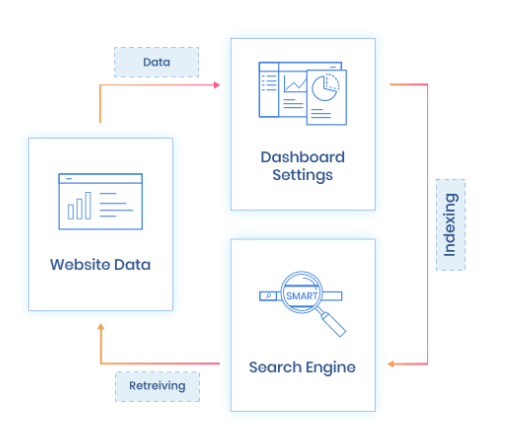
Athena connects to your web store and exchanges data with it in both directions:
- It pulls (or receives) fresh data from the store.
- It processes the data for AI models and indexes it.
- It returns the precise data to the website extremely fast.
Where to go next
- Integration checklist: what an integration includes and what the Athena XAI team provides.
- Authentication: get your tokens and set the required headers.
- Data and indexing: prepare your feeds and run your first reindex.
- Search API: make your first search request.
- Building a search UI: use the Athena XAI Headless package for the front end.