Merchandising tools for eCommerce search
Search Merchandising
Athena’s own relevance ranks the results; your team decides what leads them, in search and on category pages. Pin, boost and exclude products, and add synonyms, keyword redirects and banners.

 Example data
Merchandiser view
-
Product Promotions: products to boost
OffPins two winter coats to the top for “coat”.
- Schedule (optional)
- 1 Dec to 28 Feb
In the dashboard: Merchandising , Product Promotions
-
Rule Based Search Boosters
OffBoosts puffers and parkas for “coat”. Illustrative rule
- Type
- Attribute
- Option
- Style
- Condition
- is
- Value
- Puffer & parka
- Score Boost
- +12
In the dashboard: Merchandising , Rule Based Search Boosters
-
Product Promotions: products to exclude
OffKeeps the rain jacket out of the results for “coat”.
In the dashboard: Merchandising , Product Promotions
-
Synonyms
Off“puffer” ↔ “down jacket”, two-way. After reindex
In the dashboard: Merchandising , Synonyms
-
Keyword Redirects
OffSends “returns” to the returns page.
- Redirect URL
- /customer-service/returns/
In the dashboard: Merchandising , Keyword Redirects
-
Landing Page Banners
OffShows the winter banner above the results for “coat”.
- Position
- Above the results
In the dashboard: Merchandising , Landing Page Banners
All rules are off: this is Athena’s own relevance order. Switch on a rule to see what changes.
Shopper view
Top 6 of 12 results
The shopper searches for: coat
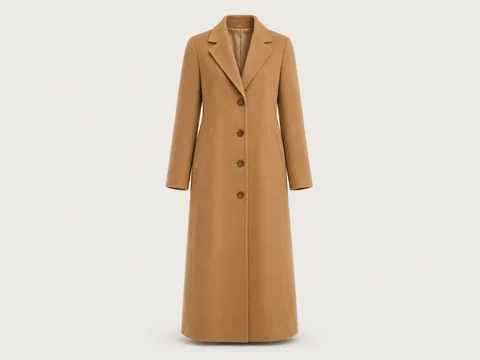 Camel Long Wool Coat$229PinnedBoosted
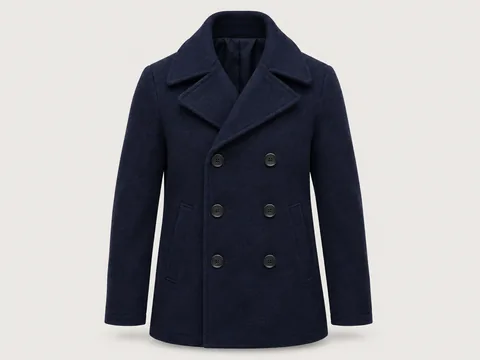 Navy Wool Peacoat$169PinnedBoosted
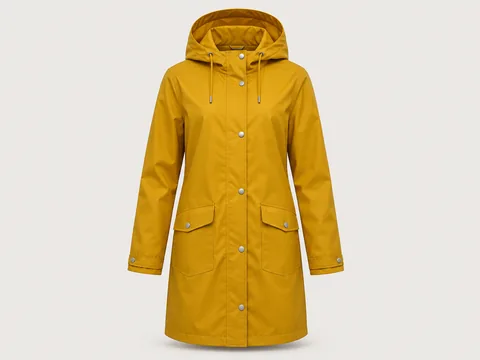 Mustard Rain Jacket$79PinnedBoosted
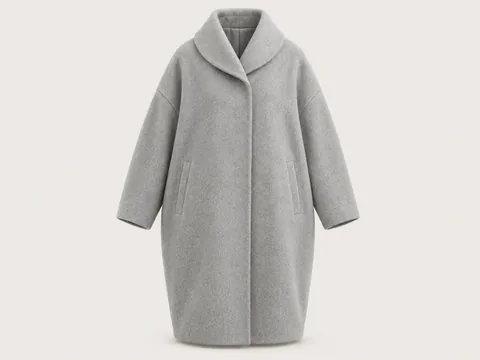 Grey Cocoon Coat$209PinnedBoosted
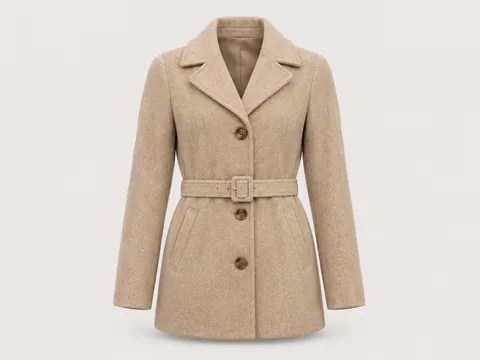 Oat Belted Car Coat$159PinnedBoosted
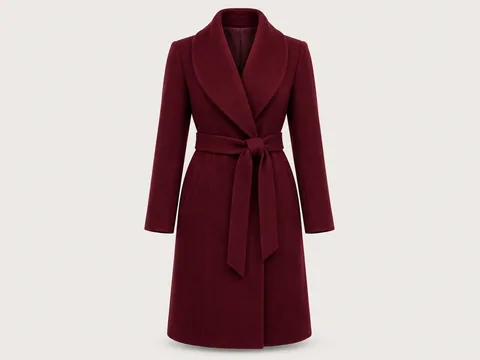 Burgundy Wrap Coat$199PinnedBoosted
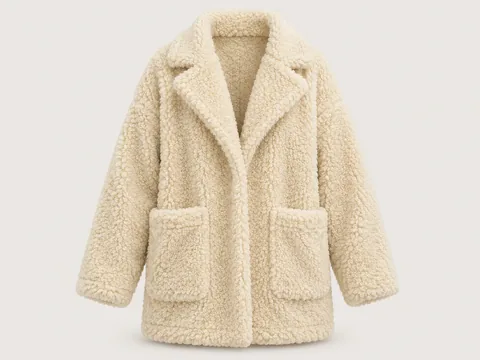 Cream Teddy Coat$99PinnedBoosted
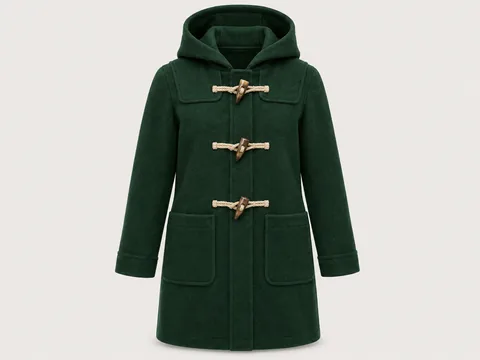 Forest Duffle Coat$175PinnedBoosted
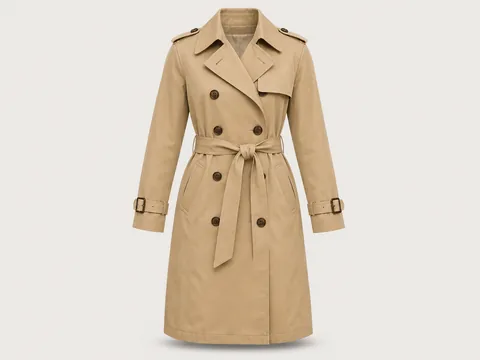 Sand Belted Trench$179PinnedBoosted
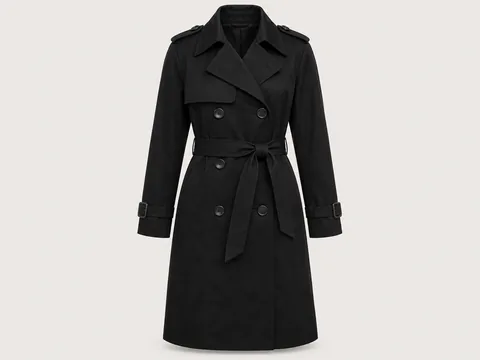 Black Belted Trench$189PinnedBoosted
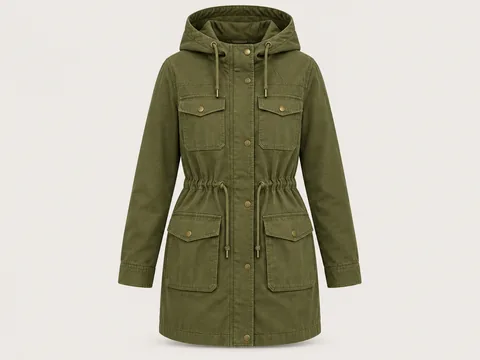 Olive Utility Parka$149PinnedBoosted
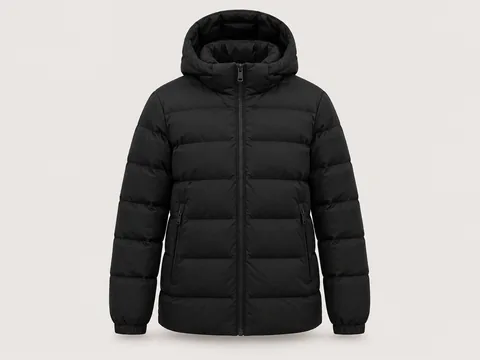 Black Hooded Puffer$129PinnedBoosted
Keyword redirect: instead of a results list, the shopper lands on
/customer-service/returns/
Returns and exchanges
How to send back or exchange an order.
Trusted by retail teams







Why it matters
Relevance from Athena, control for your team.
Athena’s hybrid search, keyword, textual semantic and visual semantic, ranks the results with Athena’s own relevance system. Search Merchandising gives your team self-service control over what shoppers see in search and on category pages, with no developer required.
Without it
- No say over what leads the results for your key searches.
- Campaigns miss search: shoppers searching for them never see them.
- Your customers’ words don’t always match the words in your catalogue.
- Searches for a page, such as returns, end on a list of products.
With Search Merchandising
- Pin, boost or exclude products for the searches you choose: your team decides, not a black box.
- Banners in search and on category pages put campaigns in front of the shoppers looking for them.
- Synonyms and excluded words match real customer language and keep noise out of the results.
- Keyword redirects send a search straight to a product, a category or any page.
How merchandisers use it
Five everyday jobs for your merchandising team.
Each one works in the demo above, one rule at a time.
Pin a winter edit
For “coat”, put two winter coats at the top for a set period: a product promotion with an optional schedule.
Send “returns” to the returns page
A keyword redirect sends a search term straight to a product, a category or any URL, instead of a results list.
Teach search your customers’ words
A two-way synonym makes “puffer” and “down jacket” find the same products. Shoppers see the change after a reindex.
Keep a product out of one search
A rain jacket is not what shoppers mean by “coat”: exclude it from the results for that search only.
Show a campaign on the results page
A landing page banner, in any HTML, shows in its position on the search results page.
Close the loop with the reports
Rules work best when the reports tell you where to put them, and then whether they paid off.
- Search Landing Page Trends shows the terms that are taking off; its own advice is to set up merchandising rules for them while the demand lasts.
- Poor Results points to the searches that need a synonym, a keyword redirect or a promoted product.
- Top Clicked Products and Product Performance show whether the products you promote get clicked, and bought.
Revenue and conversion figures need click, cart and order tracking set up in your integration, and they follow your store’s cookie consent.
Keyword redirects
Send a search straight to the right page
Some searches are looking for a page, not a product. A keyword redirect takes the shopper from the search term to the page you choose, instead of a list of results.
To a product, a category or any page
Send “returns” to your returns page, or a campaign word to the campaign’s landing page. The target can be a product, a category or any URL on your website.
For a set period
A redirect can have an optional schedule, so a campaign search leads to the campaign page only while the campaign runs.
One clear match opens the product
When a search clearly matches a single product, Athena can take the shopper straight to that product’s page.
Category pages
Merchandising on category pages too
Category merchandising works in the Categories area of the same dashboard: your team decides what opens a category page, not only what leads a search.
Pin the product order in a category
A category product promotion sets which products lead the categories you choose, and in what order.
Category banners
Put a campaign on the category pages you choose: images, video, text, links or any HTML, set up for desktop and mobile.
Capabilities
Everything in Search Merchandising
Every merchandising capability on the Athena feature list, for search and category pages, who uses it and whether it is available.
Rank and pin
Decide what leads the results, and what stays out.
Search Merchandising overview
One view of every active and inactive search merchandising rule, so you see everything that is running.
Who uses it: Store team
Product promotions
Prioritise specific products, by SKU, in the search results and pin them to the top for the searches you choose.
Who uses it: Merchandising team
Rule-based search boosters
Boost products for a search through rules you define, for fine-grained control over the ranking.
Who uses it: Merchandising team
Exclude products
Keep products out of the results for chosen searches, through rules you define.
Who uses it: Merchandising team
Excluded categories
Keep chosen categories out, for precise control.
Who uses it: Store team
Custom sorters
Shoppers sort the results by any logically applicable attribute, such as price or product age.
Who uses it: Shoppers
Redirects, banners and documents
Send searches to the right page and put campaigns and information in front of shoppers.
Keyword redirects
Send a search term straight to a product, a category or any URL on your website.
Who uses it: Store team
Document search
Include PDF documents, such as manuals and guides, by URL, so shoppers find information, not just products.
Who uses it: Store team
Language and noise
Match the words your customers use and remove the ones that pollute results.
Synonyms
Treat words as equivalent, one-way or two-way, with import and export, so results match the words your customers use.
Who uses it: Store team
Excluded words
Remove words that pollute the results, for cleaner results.
Who uses it: Store team
Autocomplete
Shape what shoppers see while they type.
Autocomplete
Suggestions while shoppers type: products, categories and popular searches. You can set custom suggestions.
Who uses it: Merchandising team
Autocomplete sections
Define the sections, their order and when each one shows, so you control what appears while shoppers type.
Who uses it: Merchandising team
Autocomplete layout
Choose the visual layout of the suggestion window, for an on-brand look.
Who uses it: Store team
First Click Product Boost
Pin a product, by SKU, that shows as soon as the search box is in focus, before the shopper types anything.
Who uses it: Merchandising team
Search suggestions
Manage suggested phrases that show shoppers what they can search for, and how.
Who uses it: Store team
Search tabs
Organise autocomplete suggestions into tabs, such as new products or sales, for faster discovery (layouts 1 and 2).
Who uses it: Store team
Excluded categories (autocomplete)
Keep chosen categories out of autocomplete suggestions, for cleaner, more relevant suggestions.
Who uses it: Store team
FAQ
Questions about Search Merchandising
What is Search Merchandising in Athena?
A set of self-service tools in the Athena dashboard that shape what shoppers see in search and on category pages: product promotions, rule-based search boosters, product exclusions, banners, keyword redirects, synonyms, excluded words and excluded categories, plus category product promotions and category banners. An overview shows every active and inactive rule.
How much control does our team have over the results?
Athena’s own relevance system ranks the results of its hybrid search. Your team decides what leads them: pin or exclude products for a search, boost products by a rule, set the product order of a category, and add banners, keyword redirects and synonyms. It is not a black box.
What is the difference between pinning and boosting?
A product promotion pins the products you choose, by SKU, to the top for the search terms you set. A rule-based search booster gives the products that match a rule a score boost, so they move up while Athena’s own relevance still orders the results.
Can a promotion run for a set period?
Yes. Product promotions, banners on the search results page and in the search dropdown, and keyword redirects can each have an optional schedule.
Does merchandising work on category pages?
Yes. In the Categories area of the dashboard, category product promotions pin the product order within a category, and category banners put campaigns on the category pages you choose. Browsing, filters and sorting are covered by Category Navigation.
When do synonym changes reach shoppers?
After a reindex: changes to synonyms and excluded words need a reindex before shoppers see them. Synonyms can be one-way or two-way, and you can import and export them.
See what Athena can do for your business.
Explore your catalogue, integration needs, and opportunities to improve product discovery with our team.
Developed by Syncit Group, certified to ISO 9001 and ISO/IEC 27001
GDPR-compliant
Hosted on AWS in the EU and US, running 24/7
Typically live in 2–3 weeks